 By Tosin Opeyemi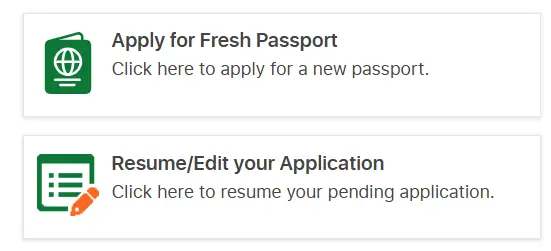
The newly upgraded portal of the Nigeria Immigration Service (NIS) enables Nigerians in Diaspora to apply for several passport application services provided by the NIS right at the comfort of their homes and on their smartphones.
Contactless passport services
These are preliminary services that you can perform on your phone without the stress of visiting an embassy:
- Application for a fresh passport
- Application for renewal of passport
- Application for correction of data in your passport such as names, date of birth etc
- Application edit
- Application status
- Booking appointment
- Application tracking
Application process
So, to apply from abroad, follow the step-by-step guide below:
- Visit the official NIS passport application portal at passport.immigration.gov.ng
- From the pop-up, select the orange button, “Apply from Outside Nigeria”
- Select the service that applies to you such as fresh application, renewal/re-Issue etc
- Sign up to create an account
- Enter your NIN and date of birth to verify your identity.
- Choose the form and choose the processing embassy.
- Upload the relevant documents.
- Pay the passport fee for the selected booklet.
- Get the Application ID and Reference Number.
- You will be redirected to either book an appointment or opt in for contactless.
- To proceed with the contactless process, click- opt in for contactless under the application status/book an appointment section.
- You will be directed to a page that provides a step-by-step guide to the Contactless process.
- Review the information, then click “I understand the opt-in” to continue. If you don’t understand it, please read again
- Now visit app download store to download the NIS mobile app if you don’t already have it on your smartphone.
- Create a profile of login if you are not a first-time user
- Click on passport application service.
- Click on passport biometric enrollment to enter your application ID and Reference Number (the one you get in Step 6), and click on “Check Eligibility”
- Then capture your face and fingerprint.
- Select liveness verification
- Pay the contactless service fee.
- Select Biometric.
 Azeez Ope Quadri