 By Azeez Quadri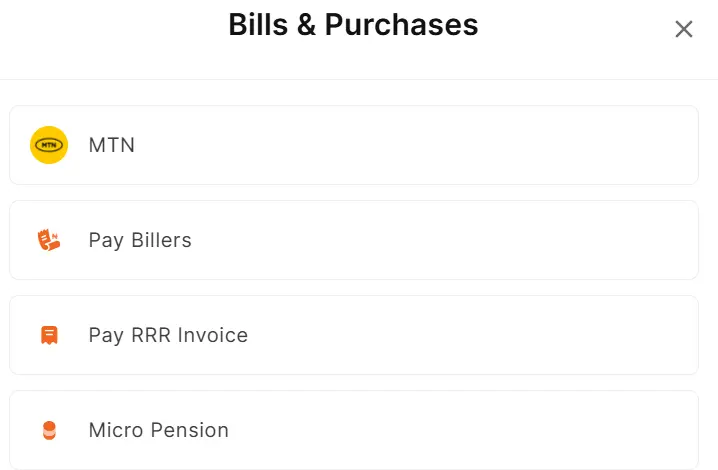
Remita is a payment service provider in Nigeria handling revenue and taxes on behalf of the major agencies of the government. It also processes payments for individuals, SMEs, among others.
Remita is also powering the Treasury Single Account (TSA) system to collect taxes, levies, and revenues on behalf of government agencies, among them is the National Identity Management Commission (NIMC).
Any payment into NIMC, whether for change of name, card re-issue, card transfer, profile modification, correction of date of birth (DOB) and NIN preprint, is done through the TSA.
So, if you are making payment to the any agencies of the government, you may not need to bother yourself about Government Integrated Financial Management Information System (GIFMIS) codes anymore.
Here is the step-by-step guide on how to make a payment through Remita to government agencies, including NIMC (NIN)
Step 1: Visit remita.net
Step 2: Click on “Pay Bills”
Step 3: If a pop-up appears, click Continue as a guest.
Step 4: Click on “Pay billers”
Step 5: In the space “Who do you want to pay to?” Enter the name of the agency you want to pay. If you are making payment in respect of NIMC, enter “National Identity Management Commission”
Step 6: Allow the space that follows “What are you paying for?” to load and select whatever you want to pay for. You will see the payable amount.
Step 7: Enter your name, phone number and email address, and click on Proceed
Step 8: The next page will load the actual GIFMIS code for NIMC, which is 011103600100.
Step 9: Choose any payment method convenient for you: the available ones are bank transfer,
USSD, bank branch, Remita app, agents and NQR. From experience, bank transfer is the easiest one.
Step 10: Step 9: Complete payment
That’s all!
[…] of GIFMIS Code for Federal Ministries and Agencies (MDAs) In Nigeria How to Make Payment on Remita to Treasury Single Account (TSA) Why Digital Financial Service Providers Dominate the Nigerian Banking Sector 10 Financial […]